
Get ZoikoTime on
every device your
team uses.
Secure, official downloads for desktop, mobile, and web — with the right version recommended automatically for your device.


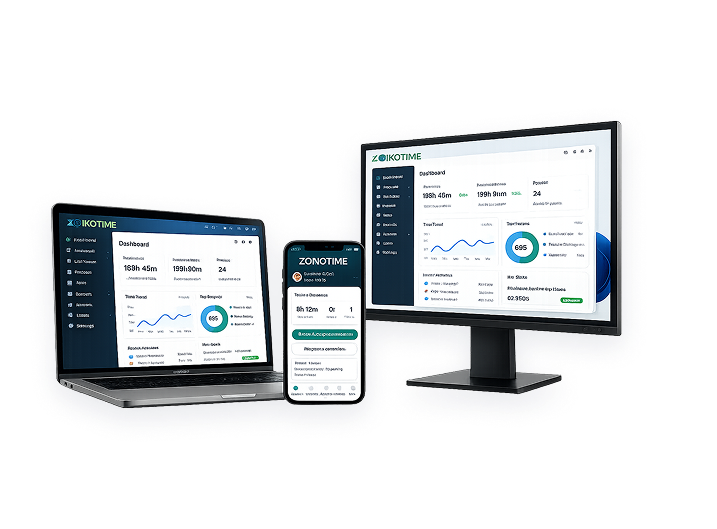
Five steps, start to signed-in.
Download
Get the signed installer for your platform.
Verify
Your OS confirms the ZoikoTime publisher signature.
Install
Follow the standard installer for your platform.
Sign in
Use your organization's SSO or ZoikoTime credentials.
Sync
Your records and preferences sync automatically.

One app, every context.

On the floor, checking a shift on mobile

In the office, reviewing on desktop.

At home, catching up from the web app.
The app does more than the
browser tab.
Installing ZoikoTime gets your team faster access, offline resilience, and timely notifications — without changing anything about how records are governed.
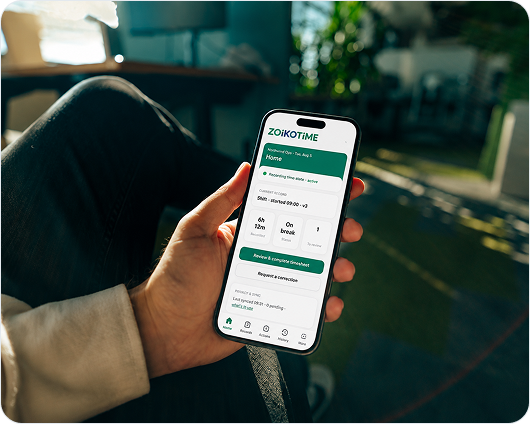

Start on one device, pick up on
another.
Desktop, mobile, and web stay in sync — a correction request started on your phone shows up instantly when you open the desktop app.
What each platform needs to run ZoikoTime.
| Platform | OS Version | Memory | Storage |
|---|---|---|---|
| macOS | macOS 13 or later | 4 GB RAM | 400 MB free |
| Windows | Windows 10 (64-bit) or later | 4 GB RAM | 450 MB free |
| iOS | iOS 16 or later | — | 150 MB free |
| Android | Android 10 or later | — | 140 MB free |
| Web | Current Chrome, Edge, Safari, or Firefox | — | — |
Roll out to hundreds of devices at once

MDM & Intune support
Push installers through your existing mobile device management.
Silent install & CLI flags
Scripted deployment for SCCM and other enterprise tools.
Centralized licensing
Manage seats and updates from one admin console.
Stay current without thinking about it
Faster sync and a fix for offline correction requests.
Biometric sign-in support on supported devices.
Cross-device sync for correction requests.
Common installation issues
Installer won't open
Usually a blocked download or an outdated OS version. Confirm your OS meets the minimum version above.
Can't sign in after install
Check that your organization's SSO is enabled, or reset your ZoikoTime password.
Records not syncing
Confirm you're on the latest version and connected to the internet, then restart the app.
Need to uninstall or reinstall
Use your OS's standard uninstall process, then download the latest version above.
Questions about downloading and installing
Download ZoikoTime for your platform.
Free to install, easy to deploy across your organization, and never surveillance software.
Not surveillance, productivity monitoring, or GPS tracking software.